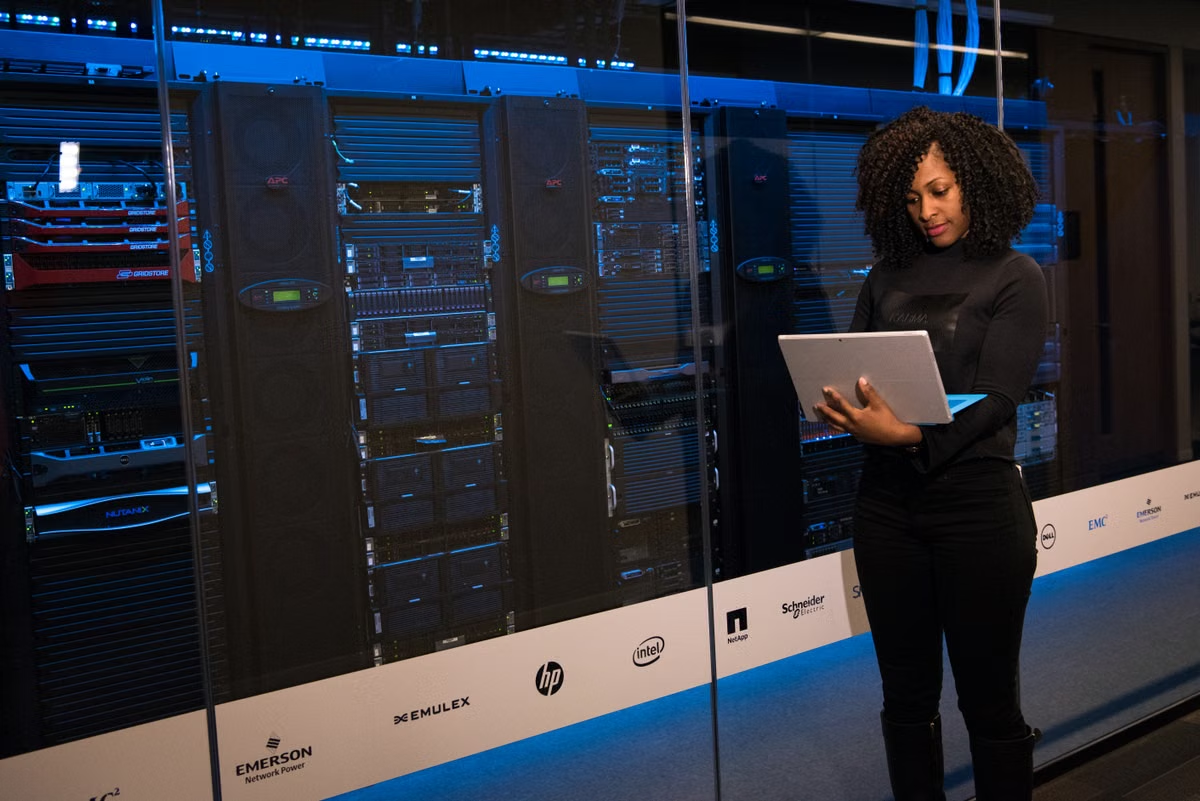
A general code task fits a temporary worker, but an Xcode task can fail even when the worker has enough compute.
Use OpenClaw Cloud Workers for isolated, OS-neutral coding and bursty parallel work; use a persistent remote Mac for Xcode, Apple signing, fixed login state, or local tool caches. If your team does both, keep the OpenClaw Gateway as the stable control plane and route each task to the environment it actually needs.
This guide is for:
- AI development teams running several OpenClaw coding sessions in parallel.
- Apple platform developers who depend on Xcode, simulators, Keychain, or other macOS-only tools.
- Technical leads comparing temporary execution capacity with the maintenance cost of a long-lived remote Mac.
Last updated September 2, 2026. Version and capability details were checked against the OpenClaw 2026.8.1 and 2026.8.2 release notes, Cloud Sessions, Managed Worktrees, Computer Use, and session management documentation.
Start with task dependency, not machine size
The first screening question is not “Which environment has more compute?” It is “What must exist where the agent runs?”
A generic build, code review, test pass, or repository migration usually needs a clean checkout, package tooling, environment variables, and access to the source provider. It does not necessarily need a particular desktop operating system. Those jobs are strong candidates for a session-created Cloud Worker because isolation and release after completion matter more than preserving one machine indefinitely.
An Apple platform task has a different dependency graph. The agent may need:
- Xcode and a specific macOS toolchain.
- iOS or macOS simulators.
- Apple signing certificates and provisioning profiles.
- Keychain access.
- A logged-in developer account.
- Desktop interaction or visual inspection.
- A warmed dependency and build cache.
- A stable local path expected by scripts or project tooling.
That is why “the Gateway runs elsewhere” does not answer whether the task can run elsewhere. The Gateway coordinates sessions. The execution device supplies the operating system, tools, permissions, desktop, and local state.
OpenClaw’s release documentation confirms that version 2026.8.1 supports placing sessions on paired devices or Cloud Workers through the workspace model, while the 2026.8.2 release documents follow-up changes affecting background sessions and permission continuity. Treat those as version-specific behavior, not proof that every future backend or machine type will work for every project: 2026.8.1 release notes and 2026.8.2 release notes.
Fast rule: if the task can be recreated from a repository and documented environment, start with a Cloud Worker. If it depends on a particular Mac’s tools, identity, desktop, or cache, start with a remote Mac.
Workspace state is a separate decision from execution location
A common failure is treating a successful conversation as proof that the project is safely preserved. It is not.
You need to distinguish at least four states:
- Gateway source workspace: the workspace known to the control plane or source environment.
- Managed Worktree: an isolated worktree created for a session or task.
- Remote execution workspace: the directory where the selected device actually checks out or modifies the code.
- Task output: commits, uncommitted files, build products, logs, generated files, and test evidence.
These states may be connected, but they are not automatically interchangeable. OpenClaw’s Managed Worktrees documentation should be the reference for how your chosen workflow creates and manages an isolated worktree. The relevant question for your team is not merely whether a worktree exists. It is whether you can identify its branch, retrieve its changes, and clean it up after the session.
Before a remote task starts, record the source commit and intended branch. During the task, make the agent report changed files and generated artifacts. At the end, verify the state from outside the session. A session transcript can explain what the agent attempted, but it is not a substitute for a repository state check.
A reliable acceptance record includes:
- Source commit or branch before execution.
- Worktree path and execution device.
- Modified, untracked, and deleted files.
- Commit identifier after completion, if the task commits changes.
- Build artifacts that must be retained.
- Logs and test reports.
- Credentials or local settings that must not be copied.
- Cleanup status after stopping the session.
Operational reminder: stopping a Cloud Worker should be treated as resource reclamation until you have verified the branch, files, artifacts, and recovery path. Do not use the existence of chat history as your backup policy.
The same principle applies when moving an existing session. A mobile or remote handoff can interrupt the active work if the new execution location lacks the expected worktree, permissions, or tool state. OpenClaw’s session management CLI reference is useful for making session inspection and recovery part of a repeatable runbook rather than an operator memory test.
Apple tooling makes compatibility concrete
For non-Apple code, environment portability is often the main advantage of a temporary worker. For Apple development, the execution machine is part of the product toolchain.
A source-only task may be portable. For example, an agent can review Swift syntax, update configuration files, refactor shared code, or inspect a dependency graph without launching a simulator. A full Xcode workflow is less portable because build and signing behavior can depend on the installed Xcode version, macOS framework availability, simulator runtime, Keychain contents, and desktop permissions.
This creates three practical categories:
Portable Apple-adjacent work
Use a worker for tasks such as documentation, repository analysis, non-device-specific code review, test planning, and changes that your team has already proven can run without Xcode or macOS-specific services.
Conditional Apple work
Use a worker only after a short validation when the task includes Swift or Objective-C compilation, project generation, package resolution, or static checks. The worker must expose the exact tools and permissions your test requires. If it cannot, route the task to the Mac path rather than weakening the acceptance criteria.
Mac-bound work
Prefer a remote Mac for simulator launches, signing, Keychain operations, desktop-driven Xcode actions, device-adjacent testing, and any workflow that depends on a persistent developer login. OpenClaw’s Computer Use documentation describes capability requirements at the node level. That distinction matters: computer interaction is not created by placing the Gateway on a machine with a different operating system.
The “paired device” option also deserves careful treatment. A paired device is not simply a cheaper Cloud Worker. It is an authorized node with its own availability, permissions, local files, and failure modes. If it goes offline, loses authorization, or changes its local toolchain, the session may be unable to continue even though the Gateway remains healthy.
Speed, concurrency, and cache reuse need a local trial
Avoid choosing by advertised startup speed or assumed concurrency. Those figures are not meaningful until they are measured against your repository, dependency graph, build scripts, and agent prompts.
Run the same short task in each candidate environment and capture five timestamps:
- Request accepted.
- Execution environment ready.
- Dependencies available.
- Agent begins useful repository work.
- Build and validation complete.
Then record whether the project used a reusable seed, a warm machine, a restored dependency cache, or a full installation. Also record queue behavior when several sessions begin together. A worker that starts quickly but reinstalls dependencies every time may be less suitable than a remote Mac that stays prepared. Conversely, a persistent Mac can become a bottleneck when several agents compete for one desktop, one simulator, or one credential context.
The test should use representative work, not a synthetic command. Include one clean checkout, one incremental change, one failure and retry, and one session stop followed by recovery. Do not publish a speed or concurrency number unless you have a reproducible test record for the same repository and workflow.
For teams using Managed Worktrees, add isolation checks. Confirm that two simultaneous agents cannot silently modify the same branch or share an untracked generated file. For teams using a remote Mac, confirm whether caches improve the second run and whether that benefit survives a reboot, toolchain update, or cleanup policy.
This gives you a more useful comparison than a machine specification sheet:
- Preparation cost: how much work occurs before the agent can edit code?
- Queue cost: what happens when sessions overlap?
- Reuse value: can dependencies, indexes, and build products be reused safely?
- Recovery cost: how long does it take to resume after interruption?
- Isolation quality: can one task contaminate another?
Credentials and recovery define the risk boundary
Cloud Workers, paired devices, and remote Macs differ most sharply when a task needs authority rather than compute.
A disposable worker can limit how long a credential remains on an execution environment, but it may require a carefully designed secret-injection process for every session. A paired device may already contain credentials and local state, which can simplify execution but expands the impact of device compromise or operator error. A long-lived remote Mac can provide the continuity Apple workflows need, but it also creates a standing target with persistent credentials, login sessions, caches, and developer tools.
Keep these controls separate:
- Gateway authorization.
- Node authorization.
- Repository access.
- Secret injection.
- Keychain permissions.
- Desktop or Computer Use permissions.
- Artifact export.
- Session termination and cleanup.
Do not grant broad access merely because the agent failed to reach a required tool. First identify whether the missing capability belongs to the Gateway, the node, the operating system, the repository, or the credential store. This prevents a common escalation pattern in which a temporary coding task receives permanent Mac access.
Recovery must also be tested as a failure scenario. Stop the worker during dependency preparation. Disconnect the paired device. Expire a session permission. Then check whether the team can identify the last durable commit and resume without copying an ambiguous directory by hand.
A good recovery point is externally verifiable. It might be a pushed commit, a retained patch, a documented artifact bundle, or a clean worktree that another authorized session can open. “The agent said it finished” is not a recovery point.
Cost is an operating model, not just an hourly rate
The cost comparison changes when you include all the work around execution.
For a Cloud Worker, estimate:
- Session creation and environment preparation.
- Dependency installation or seed restoration.
- Time spent waiting in a queue.
- Failed sessions and reruns.
- Artifact retention.
- Secret setup and cleanup.
- Engineering time spent diagnosing a missing capability.
For a remote Mac, estimate:
- The full period the machine must remain available.
- Idle time between sessions.
- macOS and Xcode maintenance.
- Credential rotation.
- Disk cleanup and cache management.
- Offline or unreachable device incidents.
- Manual recovery after a desktop or simulator failure.
- Additional machines required for parallel work.
For a paired device, add the human availability cost. Someone may need to keep it online, approve authorization, repair a broken login state, or restore a local tool after an update. That cost can be invisible in infrastructure accounting while still delaying a release.
A simple internal model is:
Total workflow cost = resource time + preparation time + maintenance labor + failure reruns + required toolchain overhead.
Use your own measured values. Do not insert a generic monthly price or assume that a worker is cheaper merely because it exists only for one session. A short task with heavy environment preparation may favor a prepared Mac. A burst of isolated repository jobs may favor workers even when each session has setup overhead.
The decision matrix favors a dual-track architecture
The table below is an editorial fit score, not a benchmark. It rates how naturally each environment matches the stated requirement, based on OpenClaw’s documented session, worktree, node, and computer-use concepts.
| Decision dimension | Cloud Worker | Paired device | Persistent remote Mac |
|---|---|---|---|
| OS-neutral code review and repository edits | 5/5 | 4/5 | 3/5 |
| Disposable isolation | 5/5 | 3/5 | 2/5 |
| Bursty parallel sessions | 5/5 | 3/5 | 2/5 |
| Stable local workspace state | 2/5 | 4/5 | 5/5 |
| Xcode and simulator workflows | Conditional | Conditional to strong | 5/5 |
| Apple signing and Keychain continuity | Conditional | Strong if correctly configured | 5/5 |
| Persistent login and desktop state | 1/5 | 4/5 | 5/5 |
| Low ongoing maintenance | 4/5 | 2/5 | 2/5 |
| Simple recovery after interruption | Conditional | Conditional | Strong if documented |
| Best default for mixed teams | 4/5 as one track | 3/5 | 4/5 as the second track |
The scores do not mean that a Cloud Worker is universally faster or that a remote Mac is always more stable. They show where each option removes the fewest assumptions.
Your default routing rules can be explicit:
- No operating-system dependency and volatile demand: choose Cloud Workers.
- Xcode, signing, simulator, Keychain, or fixed desktop state: choose a remote Mac.
- Mixed repository work plus Apple release work: keep both paths.
- Unclear capability requirements: run a bounded trial before committing to a long-term environment.
- Strict state persistence: use a persistent workspace and require external verification before session cleanup.
The stable element should be the OpenClaw Gateway and its routing policy, not necessarily the execution machine. This lets the control plane remain predictable while the execution location changes according to task requirements.
Use this rollout sequence before expanding
Do not move the whole team at once. Validate the workflow in stages.
- Define two representative tasks. Choose one OS-neutral coding task and one Apple-specific task. Include the exact repository, expected files, tests, artifacts, and credential needs.
- Record the baseline. Capture the source commit, current branch, dependency method, build command, test command, and cleanup expectation.
- Run the generic task in a Cloud Worker. Verify worktree creation, branch isolation, changed-file reporting, artifact retrieval, stop behavior, and recovery from a new session.
- Run the Apple task on the remote Mac path. Verify Xcode, simulator, signing, Keychain, desktop interaction, and the permissions required by the agent. Use the documented node capability model rather than inferring support from the Gateway host.
- Repeat after interruption. Stop each execution path at a controlled point. Confirm that a second authorized session can find the intended work and that no untracked output was silently lost.
- Run overlapping sessions. Test separate repositories or separate branches first. Then test the resource that is most likely to serialize work, such as a simulator, signing identity, or shared cache.
- Write routing rules. Put task classification, required capabilities, workspace ownership, and recovery evidence into the team runbook.
- Expand only after acceptance. Add more worker sessions or additional remote Macs only when the measured preparation, queue, failure, and maintenance costs are understood.
The acceptance checklist should be short enough to use on every trial:
- [ ] The execution device is identified.
- [ ] The branch and source commit are recorded.
- [ ] The workspace owner is known.
- [ ] Uncommitted and untracked files are reviewed.
- [ ] Build products and logs have a retention decision.
- [ ] Required permissions are documented.
- [ ] A fresh-session recovery test passed.
- [ ] Cleanup completed without deleting required evidence.
Compare environments by operating pattern
Use this second table when the team is choosing a default policy rather than a single machine.
| Team operating pattern | Recommended primary path | Why | Fallback |
|---|---|---|---|
| Short code reviews and repository maintenance | Cloud Workers | Isolation and release after task completion matter more than persistent local state | Paired device for unusual node permissions |
| Several independent coding sessions with uneven demand | Cloud Workers | Capacity can follow task volume without keeping every machine prepared | Remote Mac for tasks that fail capability checks |
| Daily Apple application development | Remote Mac | Xcode, simulator, signing, Keychain, and stable local state are central | Cloud Worker for source-only review and planning |
| Release engineering with fixed credentials | Remote Mac | The credential and toolchain boundary must remain controlled and observable | Separate worker for non-signing validation |
| Mixed AI development and Apple teams | Dual track | Different tasks have different execution requirements | Keep Gateway policy and workspace records unified |
| Uncertain workload during a pilot | Short trial of both | Your repository and scripts determine preparation and recovery cost | Expand only the path that passes acceptance |
This is also where the long-term rental question becomes clearer. Renting a Mac for every task creates idle-resource and maintenance exposure when most sessions are OS-neutral. Creating a new worker for every Apple release task creates environment and credential setup risk when the project depends on a stable Mac. The choice should follow the task mix, not a belief that one model is inherently superior.
When a remote Mac is the better investment
A remote Mac is usually justified when continuity is part of the technical requirement. That includes a project that repeatedly uses the same Xcode setup, a controlled signing identity, simulator data, local indexes, or a fixed desktop workflow. It is also useful when the cost of reconstructing the environment after every session exceeds the cost of keeping one prepared machine available.
That does not make a remote Mac maintenance-free. You still need patching windows, disk policies, credential rotation, access reviews, and a recovery plan for an offline node. The value is that these controls protect a known environment instead of rebuilding a toolchain for each isolated task.
You can review SSHMac’s service and operating model before deciding whether a persistent Mac fits your access and maintenance requirements. Treat the service choice as part of the runbook: document who owns credentials, how access is revoked, what artifacts remain after a rental period, and how the team handles an unavailable machine.
When Cloud Workers should remain the default
Cloud Workers are the better starting point when the team has many small or irregular tasks, needs clean isolation, or expects demand to rise and fall sharply. They are also a good fit for repository analysis, code review, test generation, documentation changes, and other work that can be recreated from version control and a declared environment.
Their value is not that they replace every developer machine. Their value is that they turn a coding session into a bounded execution unit. That can reduce the risk of one agent contaminating another task, provided that workspace ownership and artifact handling are explicit.
Keep the boundary visible. A worker that cannot provide the required Apple capability is not “almost compatible” just because the source code is present. Route it to the Mac path, or narrow the task until its acceptance criteria no longer require that capability.
FAQ
How do OpenClaw Cloud Workers differ from paired devices?
A Cloud Worker is suited to an isolated execution session that can be created for a task and released afterward. A paired device is an authorized node that exposes capabilities from a machine you control, so its operating system, local tools, credentials, and online status matter. The correct choice depends on whether you need disposable execution or access to a persistent device context.
Can an OpenClaw coding session run on a remote Mac?
Yes, when the remote Mac is configured as the execution device and the OpenClaw Gateway can route the session to it. Verify node authorization, workspace placement, credentials, and recovery behavior before moving production work. A remote Mac is especially appropriate when the task needs macOS desktop access, Xcode, simulators, signing assets, Keychain, or local build caches.
Are Xcode projects a good fit for OpenClaw Cloud Workers?
Treat them as a conditional fit, not a default choice. Pure source edits, static checks, and dependency analysis may run well in an isolated worker if the required environment is available. Xcode builds that depend on macOS, simulator state, signing credentials, Keychain access, or desktop interaction should be validated on a remote Mac before you standardize the workflow.
Will a cloud session lose its workspace when it stops?
Do not assume that a stopped session is a complete workspace backup. Session history, a Managed Worktree, the Gateway source workspace, uncommitted files, build artifacts, and credentials have different ownership and lifecycles. Before stopping a worker, record the branch, commit, changed files, required artifacts, and documented recovery path, then verify the result from a fresh session.
Should a team rent a Mac long term or create a worker for each task?
Use task-created workers for bursty, OS-neutral coding and isolated parallel work. Use a long-lived remote Mac when Apple tooling, fixed login state, local caches, or repeatable device access are central to the workflow. A mixed team normally gets better control from a stable Gateway with both execution paths, rather than forcing every task onto one environment.
Make the final choice with two acceptance runs
A Cloud Worker is not a lower-cost remote Mac by definition, and a remote Mac is not automatically more stable. The current approach becomes a poor long-term choice when workers repeatedly rebuild heavy environments, lose required state after shutdown, or cannot provide Apple permissions. It also becomes a poor choice when one remote Mac sits idle, serializes parallel sessions, accumulates unmanaged credentials, or needs frequent manual repair.
The most defensible path is a dual-track trial: run a general coding task in a short-lived isolated environment, then run an Xcode or signing task on a remote Mac. Compare workspace evidence, recovery behavior, preparation time, permission failures, queueing, and maintenance effort. If you need that second path without purchasing and maintaining another physical machine, SSHMac can provide a remote Mac environment for the Mac-specific validation through its Mac access options. Use the two acceptance records to set the long-term resource ratio, rather than choosing Cloud Workers or remote Mac access on assumptions alone.